Uncategorized

Uncategorized

How to Create an eGCA ID — Step-by-Step Guide

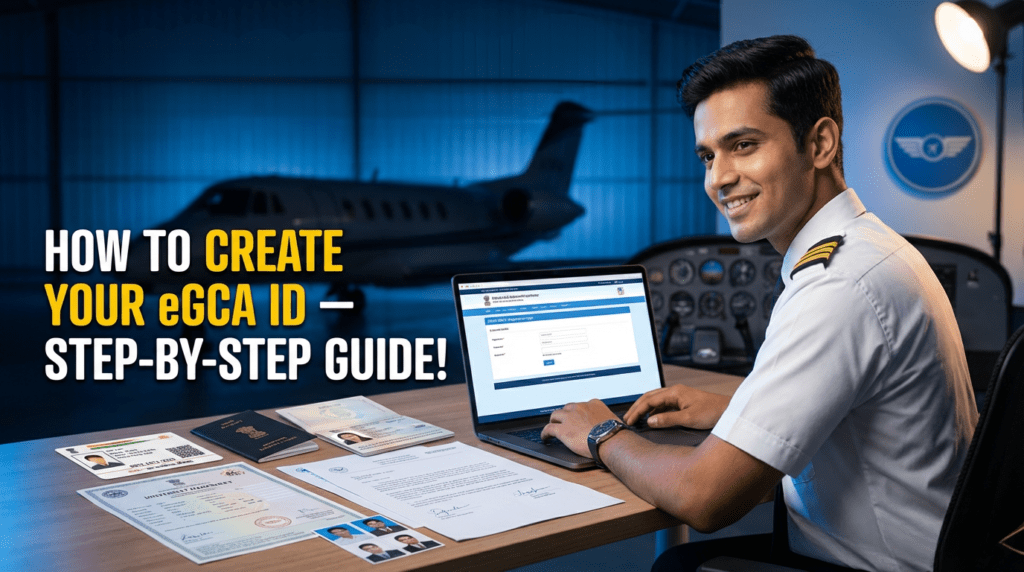
How to Create an eGCA ID — Step-by-Step Guide (Documents, Requirements & DGCA Prerequisites) The Ultimate Guide for Indian Student Pilots Creating an eGCA ID is the very first step for anyone who wants to become a pilot in India. Whether you’re starting your aviation career, preparing for DGCA exams, applying for your Class 1/2 medicals, or planning to join a flying school, your eGCA login will be required for every DGCA service. This simple, updated guide explains the complete step-by-step process to create an eGCA ID, along with required documents, eligibility, and common mistakes to avoid. Perfect for CPL, PPL, DGCA exam aspirants, and student pilots across India. Follow this updated process for 2025: What Is eGCA and Why Do Student Pilots Need It? The eGCA portal (Digital e-Governance system by DGCA India) is used for: Pilot profile creation DGCA exam applications Class 1 & Class 2 medical record tracking Flight training updates Licence issue & renewal (CPL, PPL, ATPL) Instructor ratings, RTR updates, and more Your eGCA ID becomes your lifelong digital identity as a pilot in India. Quick Summary — What You Will Get After Registration Once you complete the eGCA registration, you receive: A valid eGCA username & password Access to all DGCA pilot services A digital profile linked to your medicals, exams, and future licenses Most students receive their eGCA login within minutes, though in rare cases it may take several hours. Prerequisites Before Applying for Your eGCA ID Make sure you meet these basic requirements before you start the registration. ✔ 1. Minimum Age Requirement You must be 16 years or older to create an eGCA ID as an aspirant pilot. ✔ 2. Active Mobile Number & Email ID Both must be: Active Not registered previously on eGCA Accessible for OTP verification ✔ 3. Scanned Documents Ready (PDF/JPG) Keep clean, readable scans of: Identity proof Address proof Photograph Signature Class 10 marksheet ✔ 4. PMR Number (Only for Existing Pilots) If you are already a pilot and have a PMR (Previous Medical Record), keep it ready. Otherwise, select NO during registration. These prerequisites ensure a smooth and fast registration process. Documents Required for eGCA Registration Your documents must be clear, readable, and in PDF/JPG format. Below is the official list of accepted documents, and at least one from each category is required. 🆔 Identity Proof (Choose Any One) Aadhaar Card Passport Driving Licence Voter ID / EPIC PAN Card Government/PSU Employee ID Defence Dependent ID (if applicable) Ration Card with photo 📍 Address Proof (Choose Any One) Passport Driving Licence Voter ID Ration Card Government Health Card Any proof accepted on the portal screen 🖼 Other Mandatory Uploads Passport-size photograph (clear, recent) Digital signature (scanned on white paper) Class 10th marksheet/certificate (mandatory for educational verification) 📸 Uploading Tips for Better Approval Scan at 300 DPI if possible Ensure edges are not cropped incorrectly Ensure the photo & signature are not tilted Use good lighting Poor-quality documents are the #1 reason for eGCA rejections. After Creating Your eGCA ID — What to Do Next? Step 1 — Visit the Official eGCA Portal Open: https://www.dgca.gov.in/digigov-portal/ Click eGCA Login / Sign Up. Always use the official DGCA website to avoid fake sites. Step 2 — Click “Sign Up” / “New User Registration” Choose your category: PILOT / Aspirant Pilot (most students) Remote Pilot (for drone operator licence holders) Step 3 — Enter Basic Details Fill in: Full name Date of Birth Nationality Gender PMR Number (if you have one) Mobile number Email ID ➡ Make sure your email & phone number are not already registered. Step 4 — Fill Personal Information Provide: Permanent & correspondence address Father/Guardian name (if requested) ID proof type selected ➡ Spelling on your form must match your ID documents exactly. Step 5 — Upload Documents Upload in JPG/PDF format: ID proof Address proof 10th marksheet Passport-size photo Signature Each file must meet DGCA’s size limits. Step 6 — Verify OTP (Email + Mobile) You will receive two OTPs: One on your email One on your mobile Enter them correctly. If the OTP doesn’t arrive, use Resend OTP or check the spam folder. Step 7 — Final Review & Submit Double-check: Name spelling Date of Birth Document numbers Uploaded files Then submit the application. Step 8 — Receive Your eGCA ID Once approved, you will receive your: eGCA username Initial password or activation link Save these details securely. Step-by-Step Guide: How to Create Your eGCA ID Once logged in, you can: Update your complete pilot profile Apply for DGCA Class 2 / Class 1 Medicals Track medical status Apply for CPL/PPL exams Update flying logbook & training details Apply for licences, ratings, renewals This ID is essential throughout your entire pilot career. Common Issues & How to Fix Them ❌ Error: “Email or mobile already registered” Use another email/number or try “Forgot eGCA ID”. ❌ Document quality rejected Rescan your documents clearly with proper lighting. ❌ Existing pilot but no PMR Register as Aspirant Pilot and later request PMR merging. Useful eGCA Resources & Official Links eGCA Login/Signup: https://www.dgca.gov.in/digigov-portal/jsp/dgca/common/login.jsp DGCA Main Website: https://www.dgca.gov.in/digigov-portal/ Pilot Registration Manual (DGCA PDF): https://www.dgca.gov.in/digigov-portal/jsp/dgca/homePage/viewPDF.jsp?page=topHeader/eGCA%20User%20Manual_Pilot%20Registration%20Process.pdf ✈ Final Tips From Our Pilot Training Institute Use an email & number you always access — DGCA sends exam alerts here. Keep all soft copies ready before applying. Ensure the same name spelling across Aadhaar, Passport & Class 10 documents. Always use the official DGCA website for registration.
Uncategorized

How Many Flying Hours Are Required for a Pilot License?

How Many Flying Hours Are Required for a Pilot License? Becoming a pilot is a dream for many students. When we imagine ourselves flying an aircraft, one common question comes to mind – “How many flying hours are needed to get a pilot license?” If you are planning to start your aviation journey, this is one of the most important questions to ask. The number of flying hours you complete decides not only your training time but also your cost and overall preparation. Let’s understand this in simple words. Types of Pilot Licenses Before we talk about the hours, you should know that there are different types of pilot licenses. Each one has its own requirements. 1. Student Pilot License (SPL)This is the very first step. An SPL allows you to fly under the supervision of an instructor.– Flying hours required: Very few, as most of it is about ground training and basic flying practice. 2. Private Pilot License (PPL)With a PPL, you can fly small aircraft for personal or hobby purposes, but you cannot earn money with it.– Flying hours required: Around 40–50 hours (varies from country to country). 3. Commercial Pilot License (CPL)If you want to build a career as a pilot and get paid to fly, you need a CPL.– Flying hours required: Around 200 hours in most countries, including India. Flying Hours Breakdown for CPL In India, the Directorate General of Civil Aviation (DGCA) requires a minimum of 200 flying hours for a CPL. These include: – 100 hours as Pilot-in-Command (PIC): You fly the aircraft as the main pilot.– 20 hours of Cross-Country Flying: Long-distance flights between different airports.– 10 hours of Instrument Flying: Flying by using only instruments, without outside visibility.– 5 hours of Night Flying: Flying at night to understand navigation and handling in darkness. This structured training ensures that by the time you apply for your CPL, you are ready to handle real-world flying conditions. Why Flying Hours Matter Flying is not something you can master by just reading books. It’s about practice, experience, and confidence. The more hours you spend in the sky: – The better your flying skills become.– The stronger your decision-making ability grows.– The more prepared you are to ensure safety. How Long Does It Take? Completing 200 hours usually takes around 12–18 months. The exact time depends on factors like weather, aircraft availability, and your learning speed. Some students finish earlier, while others may take a little longer. Conclusion So, the answer to “How many flying hours are required for a pilot license?” depends on the type of license you want: – PPL: Around 40–50 hours– CPL: Around 200 hours If your dream is to become a professional pilot, you should focus on completing 200 flying hours along with your ground training. Remember, every single hour in the cockpit brings you closer to the skies and your future career as a pilot. ✨ Tip for students: Don’t just look at the number of hours—choose a flying school that offers quality training, skilled instructors, and well-maintained aircraft. That will make your journey smoother and your skills sharper. Start Your Pilot Journey with Capt. Himanshu Goyal – Pilot Training Institute

Uncategorized

Top Skills You Need to Become a Successful Pilot

Top Skills You Need to Become a Successful Pilot Becoming a pilot is one of the most exciting and respected careers in the world. Flying an aircraft is not just about handling controls—it requires special skills that make you confident, safe, and successful in the sky. If you are a student dreaming of becoming a pilot, you must start developing these skills early. Let’s look at the top skills every successful pilot should have, explained in simple words. Good Communication Skills Communication is the heart of flying. Pilots constantly talk to air traffic controllers, co-pilots, and cabin crew. Clear communication ensures safety and smooth operations. For students, this means practicing English speaking and listening carefully in class. The better you communicate, the better pilot you will become. Strong Focus and Concentration Flying requires full attention. A pilot must focus on the aircraft, weather, instruments, and instructions all at the same time. Losing focus, even for a few seconds, can be risky. To build this skill, students can practice studying without distractions or playing memory-based games to improve concentration. Decision-Making Ability Pilots often face unexpected situations, like sudden weather changes or technical issues. At such times, they must make quick and correct decisions. As a student, you can develop decision-making by solving problems on your own, analyzing situations, and learning to stay calm when things go wrong. Leadership and Teamwork A pilot leads the entire crew and ensures passengers’ safety. But at the same time, teamwork is very important because no flight is handled alone. Students can build this skill by participating in group projects, sports, or leadership roles in school activities. Situational Awareness Situational awareness means understanding what’s happening around you. A pilot must always be aware of the aircraft’s position, weather, nearby aircraft, and fuel level. Students can improve this skill by paying attention to details in daily life and learning to stay alert in every situation. Technical Knowledge Pilots need to understand aircraft systems, navigation, and safety rules. While training gives you this knowledge, having an interest in science, physics, and technology from school days helps a lot. Students should focus on subjects like math and science to prepare for future training. Calmness Under Pressure Emergencies don’t come with a warning. A successful pilot remains calm, even in stressful situations, and handles them with confidence. Students can practice this skill by not panicking during exams or tough times and learning relaxation techniques like deep breathing. Passion and Discipline Lastly, passion and discipline are must-have qualities. Flying is a demanding career with strict rules and continuous learning. If you are passionate about becoming a pilot, discipline will help you study hard, follow schedules, and achieve your dream. Final Thoughts Becoming a successful pilot is not just about logging flying hours—it’s about building the right skills. Communication, focus, decision-making, teamwork, awareness, technical knowledge, calmness, and discipline together make you a professional pilot. As a student, start working on these skills today. With the right training and determination, your dream of sitting in the cockpit and flying high in the sky will come true. Exclusive Opportunity for Future Pilots Agar aap sach mein pilot banna chahte ho aur training cost ya type‑rating ka bojh kam karna chahte ho, toh Pilot Training Institute (PTI) ka special offer mat chuko. Timings limited hain — June 2026 batch ke liye 100% scholarship ground classes, flying training, aur type rating ke liye offer ho rahi hai. – Scholarship un students ke liye hai jo strong academic record rakhte hain, specially DGCA subjects mein ache marks. – Ye scholarship ground classes aur flying dono cover karti hai. – PTI ka mission hai ki financial problems tumhare sapne mein rukawat na banen. Agar ap interested ho, toh jaldi registration karo kyonki seats limited hain. Apne sapne ko kabhi postpone mat karo — sahi training aur sahara milte hi tum bhi asmaan mein udne ke liye taiyaar ho jaoge!

Uncategorized

Pilot Training Eligibility: Age, Education, and Medical Requirements

Pilot Training Eligibility: Age, Education, and Medical Requirements Becoming a pilot is a dream for many students. Flying an aircraft is not just about passion, but also about fulfilling some important requirements before you start training. Many students often ask: “What is the eligibility to become a pilot?” Don’t worry, in this blog we will explain in very simple words about age, education, and medical requirements for pilot training. 1. Age Requirements for Pilot Training The first question students have is, “At what age can I start pilot training?”– You must be at least 16 years old to apply for a Student Pilot License (SPL).– To get a Private Pilot License (PPL), you need to be 17 years old.– For a Commercial Pilot License (CPL), which allows you to fly professionally, the minimum age is 18 years.There is no strict maximum age limit, but you should be physically fit and medically approved to fly. 2. Education Requirements for Pilot Training Education is another important factor. The minimum qualification needed is:– You must have passed Class 12th (10+2) with Physics and Mathematics as compulsory subjects.– If you are from another stream (like Commerce or Arts), you can still become a pilot, but you will need to clear Physics and Mathematics through open schooling (like NIOS) or any recognized board.Good communication skills in English are also important, because aviation is an international field and most communication with air traffic control happens in English. 3. Medical Requirements for Pilot Training To ensure safety in aviation, medical fitness is very important. In India, pilots need a certificate from a DGCA-approved medical examiner. There are two main medical tests: – Class 2 Medical:  This is the first medical test you will undergo before starting your training. It checks your eyesight, hearing, general health, and mental fitness. – Class 1 Medical:  This is required for getting a Commercial Pilot License (CPL). It is a more detailed medical examination and includes tests for vision, heart, lungs, and overall health. Common Medical Requirements: – Eyesight should be normal. Glasses or contact lenses are acceptable within limits.– No history of serious mental illness.– Hearing should be good enough to clearly understand communication.– Physically fit with no major health issues. If you pass these medical tests, you are fit to start pilot training. Final Thoughts To become a pilot, you need to fulfill three main conditions:1. Right age (minimum 16 years to start, 18 years for CPL).2. Right education (12th with Physics and Maths).3. Right medical fitness (Class 2 and later Class 1 medical). If you are passionate about flying, meet these requirements, and are ready to work hard, then your dream of becoming a pilot can surely come true. ✈️ Want to know more about pilot training and start your aviation journey? Visit here: 

Scroll to Top
Call Now Button